


Oct 31, 2026 Product Updates
Table of Contents
Nov 11, 2026
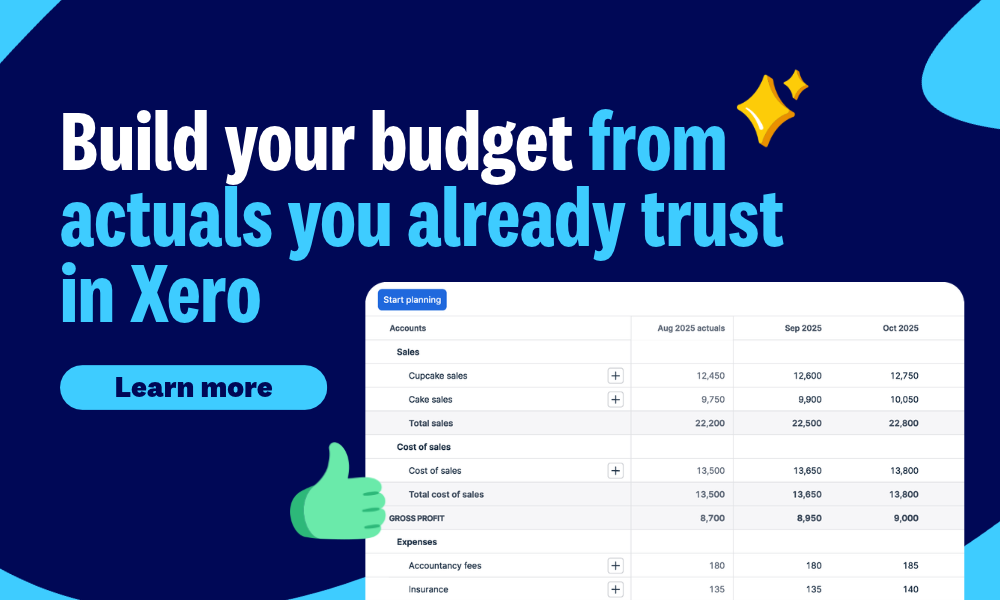
Budgeting is easier when you do not have to start from a blank page – or rebuild your plan in a spreadsheet every time your business changes.
With New Budgets, you can start with zeros, last month’s actuals or the last 12 months of actuals. Edit your plan inline and add adjustments such as increases or decreases by amount or percentage. Colour highlighting makes adjustments, variances and trends easier to spot, and autosave keeps your work up to date, all without leaving Xero. You can also create as many budgets as you like to compare different business outcomes.
That means you can spend less time moving numbers between tools and more time thinking about what comes next.
Sometimes the hardest part of budgeting is knowing where to begin.
Select Start planning at the top left of your budget to see suggestions that can help you think through common business scenarios, such as boosting sales, growing your team, planning for expansion, getting expert advice or protecting your business.
These guided suggestions give you a foundation for the numbers and the assumptions they inform, which you can then talk through with your accountant or bookkeeper..
Budgets change as decisions change. New Budgets keeps a running history of the adjustments you make, so you can see what changed and understand the decisions behind your plan.
Whether you are responding to market changes, hiring new staff or launching a new product line, you can follow the impact of specific decisions over time.
Plan by branch, department or tracking category
If your business operates across branches – or you need a separate view for each department – you can create a budget for each tracking category. This lets you plan at the level your business already uses for reporting.
For small business owners, New Budgets brings planning into the same place as the numbers you already use. You can build a realistic plan from your Xero actuals without starting from scratch, making it easier to discuss with your accountant or bookkeeper.
For accountants and bookkeepers, it gives you a practical way to build a client’s budget and use it as a starting point for the next advisory conversation. Instead of focusing on spreadsheet management, you can spend more time discussing the decisions behind the numbers.
Visit Reporting to access New Budgets and get started. You can also add your budget to other reports in Xero so that you can compare actuals to budgeted values.
To find out what’s included in your plan, visit the Pricing Page.


You're on our global website. Change your region to see information and pricing for another location.