



Oct 16, 2026 Product Updates
Table of Contents
Oct 31, 2026

Access in Xero has worked a bit like a house key. You either hand it over or you don’t. To let someone raise a purchase order, you handed over the supplier bills with it. To let someone count stock, you opened up financial data they had no reason to see.
That gap is what we’ve spent this year helping to close.
We’re improving user permissions across Xero so access can better match the job. Your feedback through Product Ideas and conversations with our teams is shaping this work. Our goal is to give you and your clients more flexibility to choose what each person can access, with a consistent experience that makes it easier to set up access for each business and the people who support it.
User permissions have regularly featured near the top of Product Ideas, with requests that are specific and practical: let someone see stock without giving them access to the entire bank feed; share one group of reports without opening up the rest; let a contractor raise a purchase order — and stop there.
We’ve been working through that list.
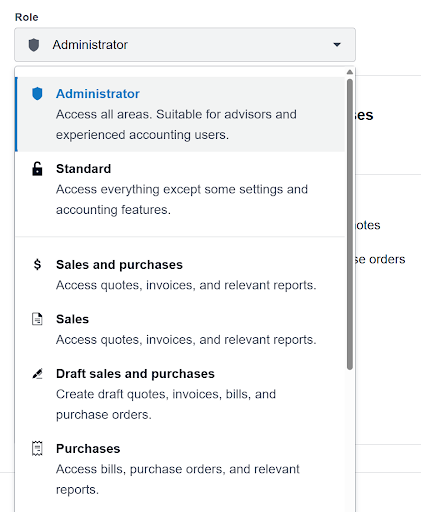
The first release broke the big roles into smaller pieces.
Payroll Admin and Employee have also been granted their own high level roles.
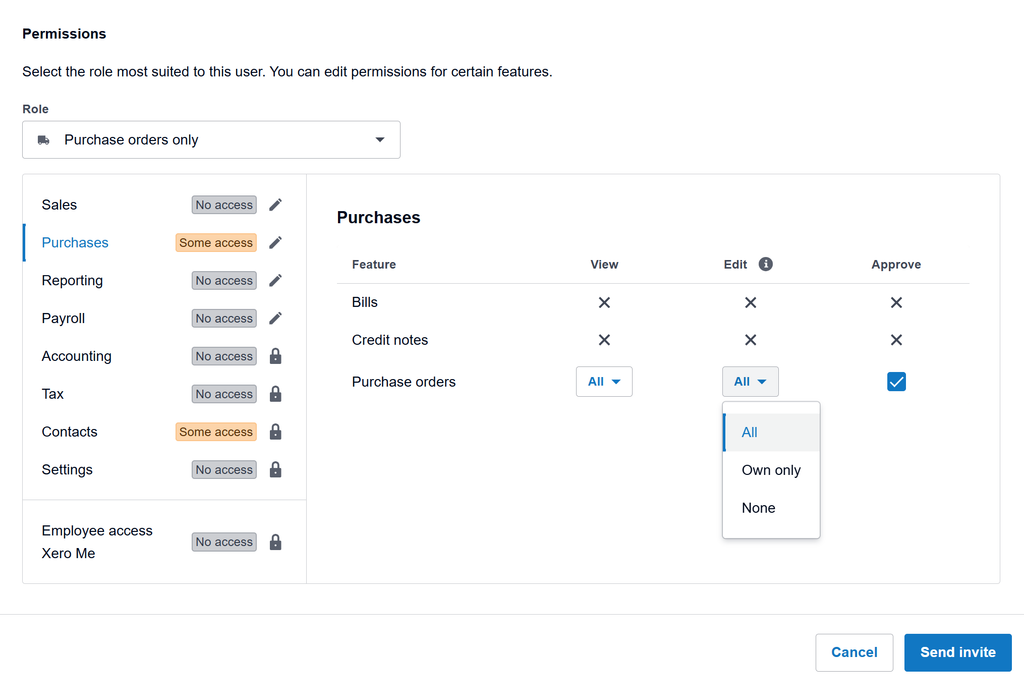
Permissions build on each other. Edit includes view, approve includes edit – designed so someone can’t change what they can’t see.
If your practice uses Partner Edition plans, your permissions stay exactly as they are. There’s nothing to review or reset, and no settings to revisit.
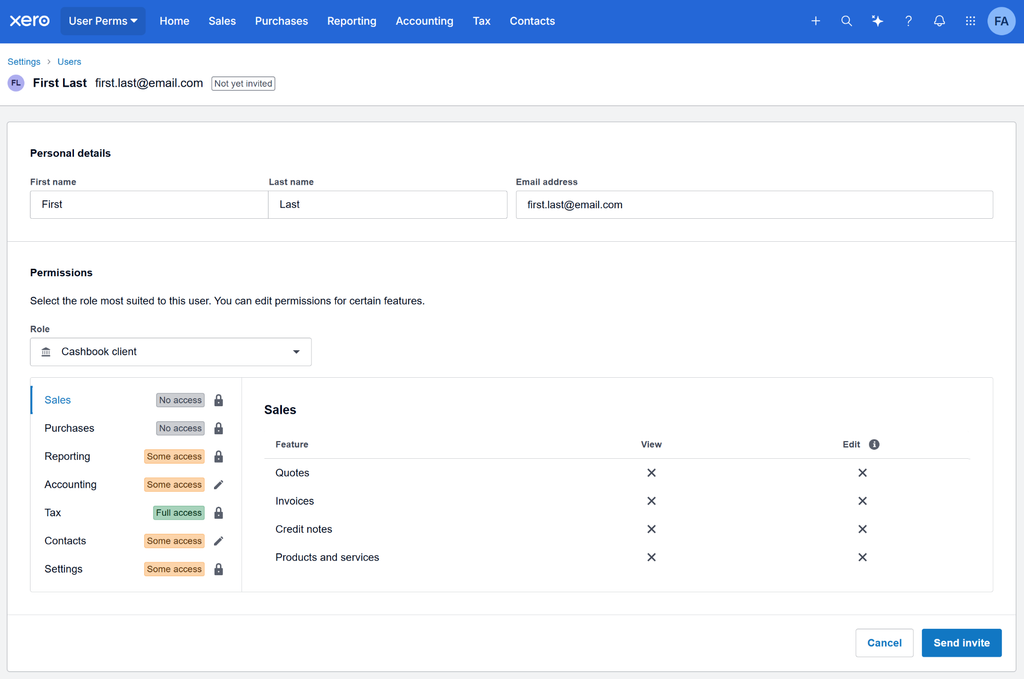
The change is visual: the Users page in Partner Edition now matches the one in Business Edition, so the experience is consistent whichever edition you’re working in.
Two things change for practices.
The first is what you can say when a client asks. A new hire who needs to raise purchase orders, a warehouse manager who needs stock counts, an AU payroll manager who manages timesheets: each of those has an answer now that doesn’t involve handing over the entire ledger.
The second is what stops landing on your desk. Day to day access requests have a way of routing through the practice, and there are now more permissions clients can handle themselves, which gives you back time for the work they came to you for.
There’s more to do. The next improvements are shaped by the same things that brought us here: Product Ideas, partner sessions and conversations our teams have with you.
First, reporting. We’re working through the rest of the report groups so there’s a group for each kind of work. Report Centre was grouped several years ago, and we’ve heard feedback that finding the right report can still be challenging. So we’re regrouping reports around the jobs people do, and aligning the All reports page with the user permissions screen. The reports themselves stay the same. Only the group each one sits under changes, and we’ll let you know before it reaches you.
Three themes are currently being explored
Custom roles: Create a role that matches a job in your business, give it a name and reuse it for the next person doing that job.
Access by bank account: Set permissions for individual bank accounts, so you can share the information people need without providing complete access to business financials.
Manager access to selected employees: Limit managers’ payroll access to specific employees, rather than the whole organisation.
We’re also working to extend permissions across more of Xero, area by area, based on the permissions you’ve been voting on.
If there’s something you need that isn’t covered yet, Product Ideas is still the place to tell us. We’re acting on it.
Open the Users page in Xero to see what you can set. Please see the Xero Central article for more information.


You're on our global website. Change your region to see information and pricing for another location.