
Feb 21, 2026 Product Updates
Cash flow uncertainty is a small business tax, and we’re done with it
4 min read



The true value accountants and bookkeepers offer clients, lies in their advice – not in hours spent on manual fixes, report rebuilding or chasing mapping errors.
That’s why we’ve delivered three powerful reporting enhancements designed to eliminate those time-consuming productivity roadblocks. Built directly from your feedback, these new features will help you produce reports faster and reclaim valuable time for high-value client work that truly matters.
Customising reports for clarity often meant extra steps or manual calculations outside of Xero. Now, you can keep your focus – and your work – right where it belongs.
Show formula rows as a percentage, instantly – you can now display the formula row as a percentage within the report itself. This gives you the flexibility to calculate and display key financial metrics instantly for both practice and client reports, without leaving Xero or resorting to manual spreadsheets.
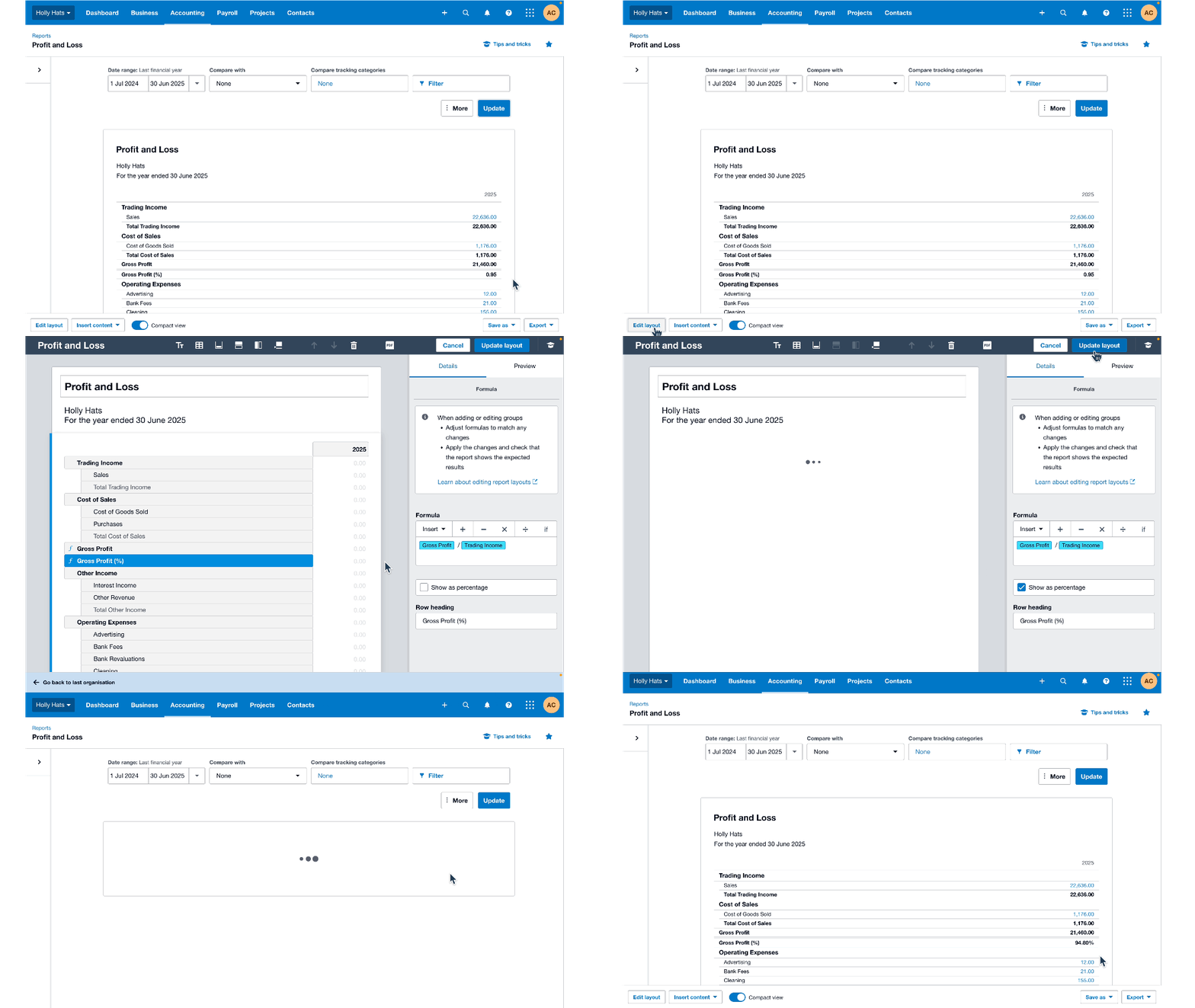
“This is a great update and will mean we don’t have to export reports to Excel before sending to clients now” – Australian accounting advisor.
Easier setup, fewer errors – we’ve made administrative hurdles smaller and less stressful:
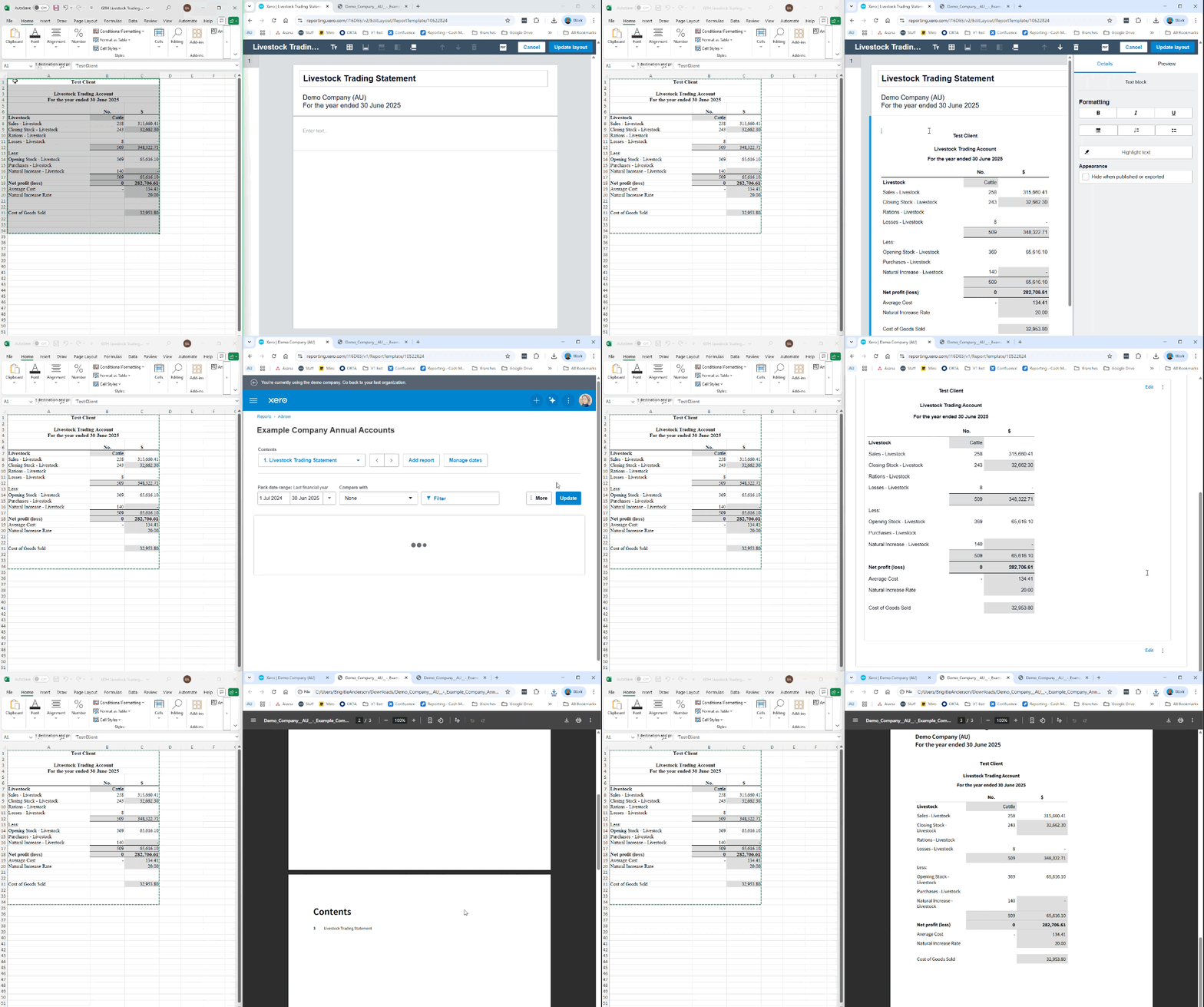
For practices handling specialised accounts, such as those in agriculture, we’ve significantly cut down manual data entry with one simple, powerful improvement.
Keep Excel formatting when you paste. You can now seamlessly copy and paste fully formatted Trading Statements from Excel directly into Xero Reports. This simple feature drastically reduces the manual effort and error potential when dealing with specialised data that is not in Xero, helping you speed through your workflow with confidence. This is progressively rolling out across all regions in the coming weeks, so keep an eye out.
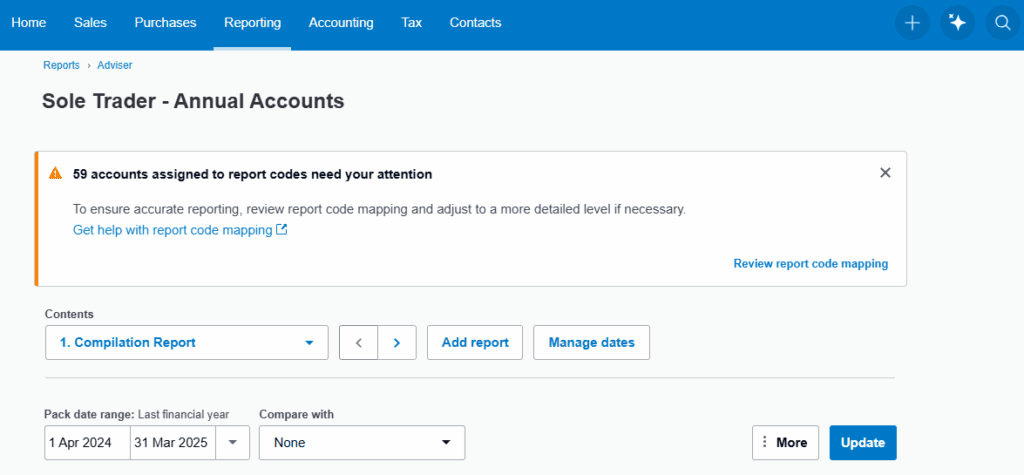
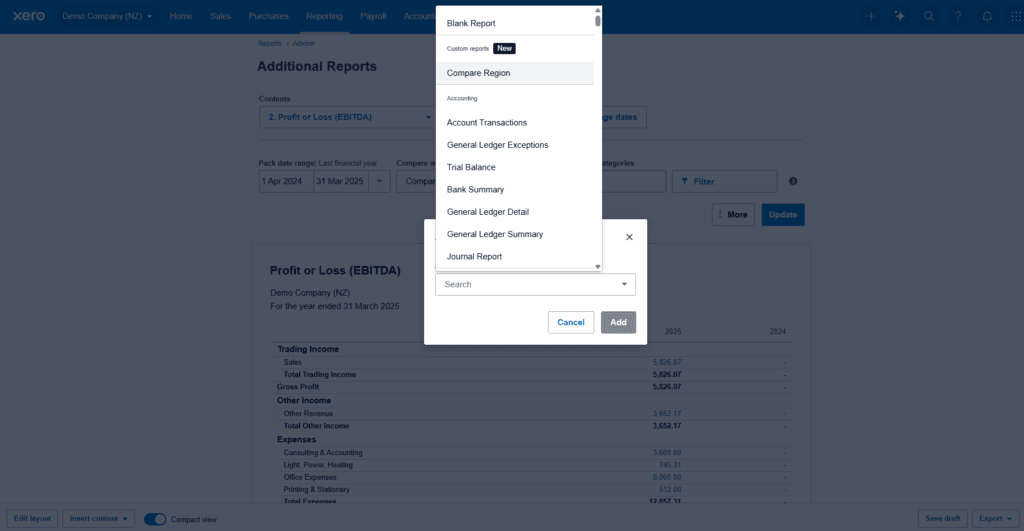
Stop rebuilding the same custom report. With our new enhancements, you can add any custom report you’ve created for a client directly into an Advisor Report Pack.
This means you can:
Most of these enhancements are now live globally and built to boost your practice’s productivity. Head over to Xero Reporting today to start using these powerful features. Discover how they can help you reclaim your time and focus on what you do best: advising your clients and supercharging their businesses.
We’re committed to continuously improving Xero reporting. Stay tuned for more enhancements designed specifically for accounting and bookkeeping partners.
Find out why 4.6 million subscribers locally and across the world trust Xero with their numbers.
Try Xero For Free

You're on our global website. Change your region to see information and pricing for another location.