



3 days Product Updates
Table of Contents
Sep 18, 2026

As Xero evolves Files into an easier way to get data into Xero, we’re renaming it Documents.
We’ve improved and expanded its capabilities. Now called Documents and powered by JAX, its Smart Document Capture capability automatically captures and extracts data, matches documents to transactions, and learns your patterns over time. Upload, email, or snap a photo of a receipt or bill, and Xero automatically creates the transaction for you – for more accurate, up-to-date bookkeeping.
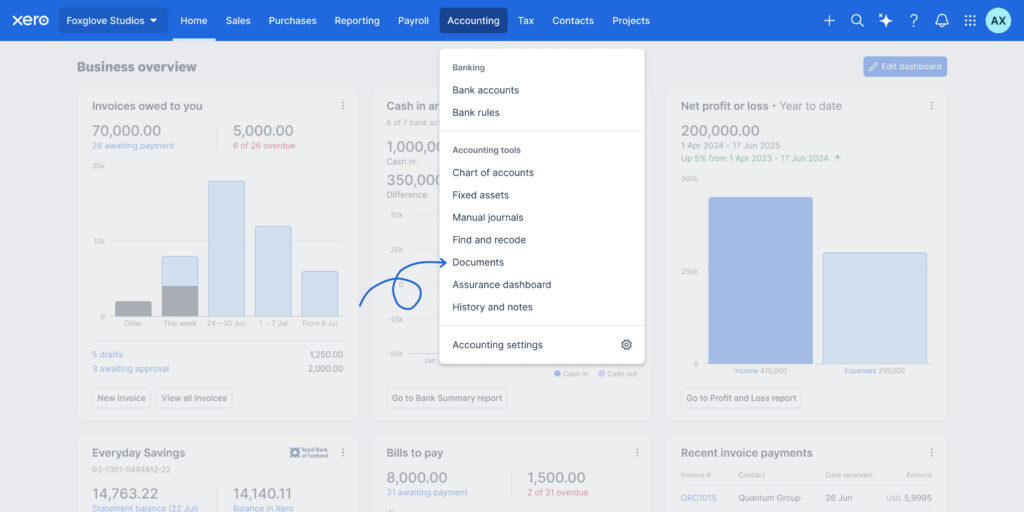
Documents is moving from the Organisation name menu to the Accounting menu, alongside your other accounting tools. Your existing documents won’t be affected, and the way you work with them will remain the same. The new location brings Documents closer to the accounting workflows it supports, making it easier to capture and extract information and match it to transactions while managing your books.
“Keeping up with my accounts in a very easy to use, user friendly way which means financial reports (tax returns etc) are no longer a headache. I’m more confident that they’re correct too.”
-Jeremy Edwards, Edwards Consultancy (Services) Ltd
With Smart Document Capture in Documents, you can already capture and extract information from documents, match them to existing transactions or create new ones- with less manual data entry. Based on what we’ve heard directly from you, we’ve focused the latest improvements on supporting more document types, reducing manual steps and giving you greater control:
“Smart Document Capture has made processing supplier invoices much faster. Instead of manually entering details such as the supplier name, invoice date, and amount, Xero automatically extracts the information from the uploaded document, saving time and reducing data entry errors.”
-Helen Hargeaves, Rackets Cubed
Your feedback – from customer research, surveys and conversations – is shaping what comes next.
We heard from you that subfolders, search and filtering play an important role in how you organise and find documents. We’re partnering with you, our community, to redesign these experiences in Documents, using your feedback to shape solutions that better support the way you work. We’ll share more on this soon.
Alongside this work, we’re also planning to deliver further capabilities in the coming months, including:
Looking further ahead you’ll also be able to create bills straight into an awaiting approval or awaiting payment state and extract details from Bank Statements. We’re also adding notes and item codes to documents so your inventory updates as you go.
Smart Document Capture learns your patterns, extracts more accurately over time, and and helps keep your records organised and up to date. But you stay in control – every extraction, every match, every decision is still yours to review and approve.
Log in and upload your first document to see it in action, or register for a webinar to learn more about Smart Document Capture.


You're on our global website. Change your region to see information and pricing for another location.